Quick Tips for an Effective Online Presentation Recording
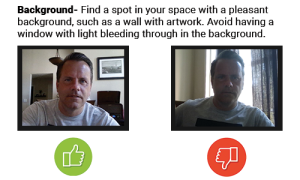
Fill Your Background
Find a spot in your space with a pleasant background, such as a wall with artwork. Avoid having a window with light bleeding through in the background.
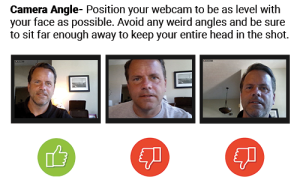
Adjust Camera Angle
Position your webcam to be as level with your face as possible. Avoid any weird angles and be sure to sit far enough away to keep your entire head in the camera window.
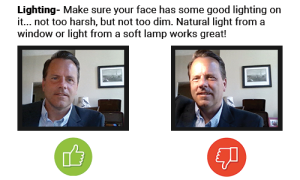
Perfect Your Lighting
Make sure your face has some good lighting on it… nothing too harsh, but not too dim. Natural light from a window or light from a soft lamp should work great!
Choose a Quiet Room
Find a location free from distractions. No toddlers, no barking dogs, no phones, no televisions in the background. Watch video for example of “what not to do.”